Google Business Profile Checker

Check any Dubai clinic’s Business Profile in one go. Categories, hours, address, photos, description and booking link, scored across 87 points in four pillars, with the gaps listed in the order they cost you.

3 free checks a day
For example:
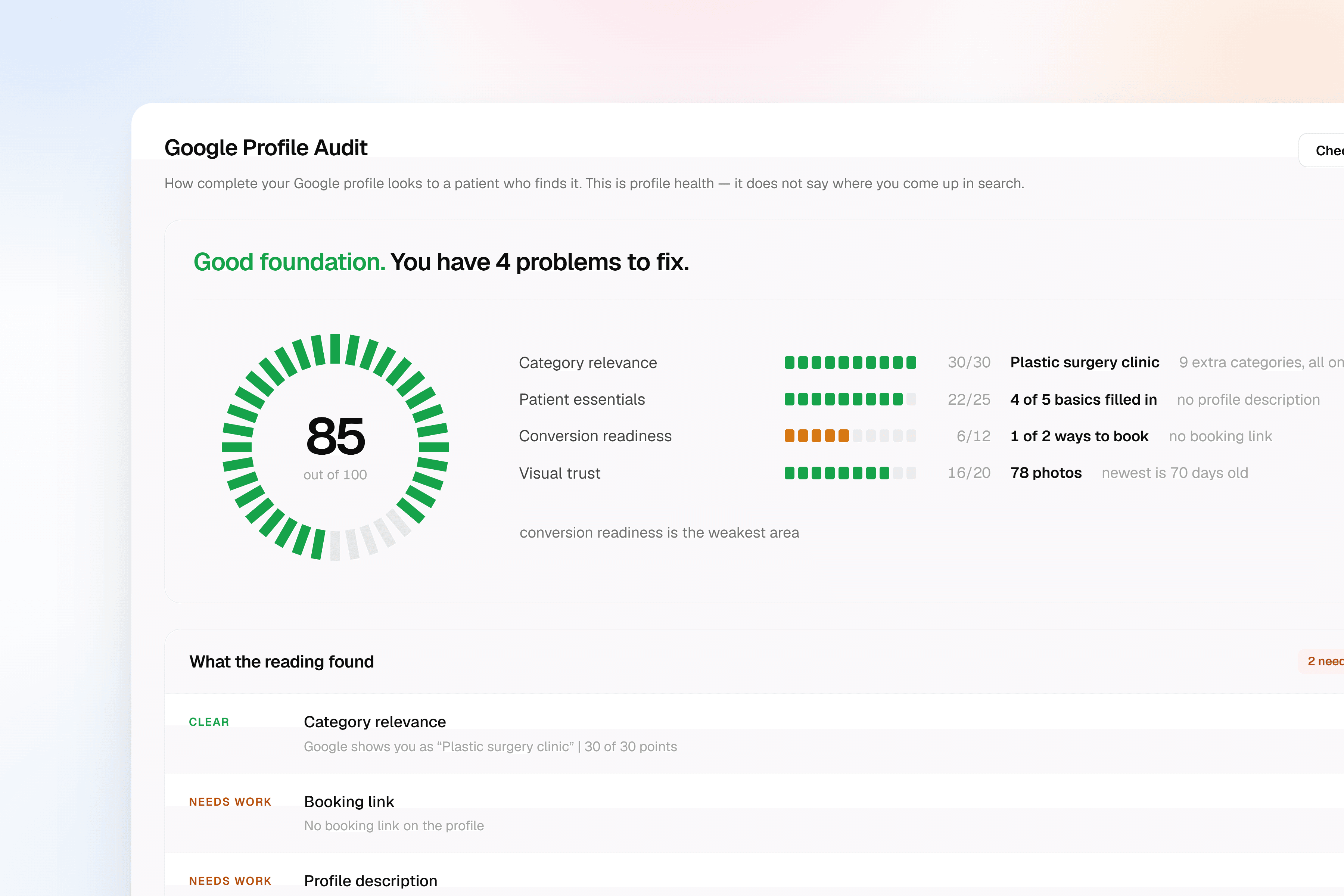
A Google Profile Audit scoring a clinic across category relevance, patient essentials, conversion readiness and visual trust, with the weakest pillar named

How to use the free Business Profile Checker

  1. 1

    Start typing your clinic name and pick it from the Google listings that appear.

  2. 2

    Press “Check profile” and we read what Google publishes about you.

  3. 3

    Work down the weakest part of the profile first.

What is RepHigh’s Google Business Profile Checker?

It is a free audit for private clinics in Dubai that reads your Google Business Profile and scores how complete it is.

Google decides which clinics to show for “dentist near me” partly on how much it knows about you. A profile missing hours, categories or photos is a profile Google has less reason to surface, however good your reviews are.

The check reads what is public: your primary and additional categories, phone, website, address parts, opening hours, description, photos and claim status. Each one is scored against the same 87-point rubric the paid audit uses.

Anything Google does not answer for is marked unread and left out of the total, rather than scored as a failure. A gap in our reading is not a gap in your profile.

A clinic connecting its Google Business Profile to RepHigh
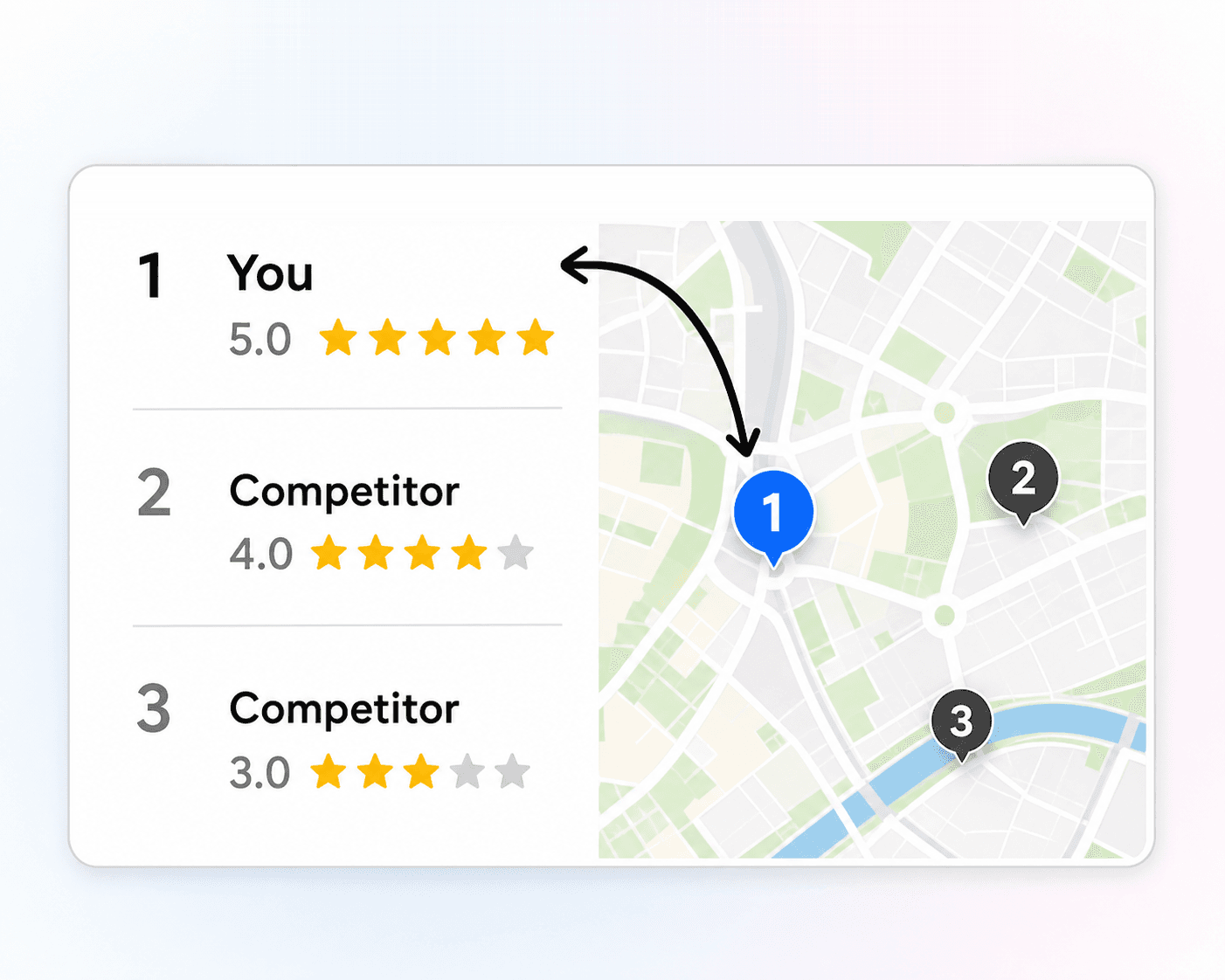
A clinic listed first on Google Maps at 5.0 stars, above two nearby competitors at 4.0 and 3.0

Why your Google Business Profile matters

For a clinic, the Business Profile is the shop window. Most patients who find you never reach your website: they read the profile, look at the photos, check the hours and tap call.

It is also the part of your presence Google trusts most, because you filled it in and Google verified it. Categories tell it what you treat, hours tell it whether to show you now, the address tells it which searches you belong in.

A thin profile fails quietly. Nothing breaks and no error appears; you simply appear for fewer searches than the clinic down the road, and never learn why.

The fixes are unglamorous and mostly free. Set the categories properly, publish real hours, write a description that names your treatments, keep the photos current.

Turn your check into always-on profile management

The free check is a snapshot of today. RepHigh Local Visibility AI watches the profile, tells you when something changes or lapses, and tracks the clinics ranking above you.

It also carries what one free reading cannot: how your photo count compares with clinics nearby, every attribute group Google asks about rather than the few it publishes, and a booking link re-tested on a schedule, so a break is confirmed rather than guessed at from a single try.

See Local Visibility AI
Patients connected to one clinic record, each carrying the moment they last made contact

Which parts of the profile do we check?

Four pillars, eighty-seven points, plus four gates that are reported and never scored. The free check reads seventy-five of the points. The other twelve compare your photos with nearby clinics, which means reading those clinics too.

  • Category relevance: Your primary category and every additional one, thirty points between them. The primary alone is worth twenty, because it decides which searches you are eligible for at all. A practice filed as “Dental clinic” is in the running for “dentist near me”. The same practice filed as “Clinic” is not, and no amount of photos or reviews compensates. The extra categories score ten when every one of them names real care, and zero the moment one names another kind of business, because a hair salon sitting beside your clinical categories tells Google you are something else.
  • Patient essentials: Phone, website, address, opening hours and the description: twenty-five points across the five fields a patient acts on directly. Hours score the full six only when all seven days are set, closed days included, and drop to three at five days out of seven, because a profile Google cannot read as open now is a profile it hesitates to show now. The description scores six when it runs past two hundred characters and names a treatment you actually offer, and three when it is present but says nothing specific.
  • Conversion readiness: The booking link and the profile questions you have answered, twelve points. Eight of those are the booking link, scored on whether it answers rather than whether it exists, so the check opens yours once. A link that refuses our reader is reported as unread and never as broken, because a booking site blocking a datacentre says nothing about a patient on a phone. The four remaining points go to the attribute questions, scored on being answered rather than answered favourably. No clinic should earn points for claiming step-free access it does not have.
  • Visual trust: How many photos the profile carries and how recent the newest one is, twenty points. The count is twelve of them and it is judged against your neighbourhood rather than a fixed target: full marks at one and a half times the median of the clinics nearby, nine at the median itself, and nothing scored at all unless five comparable clinics have a count on file. Freshness is the other eight, full at under thirty days and six under ninety. Where only part of the gallery was visible, an old newest photo is reported as unread rather than stale.
  • The four gates: Claimed or unclaimed, open or temporarily closed, whether the name breaks Google’s policy, and whether a duplicate listing is splitting your reviews. None of these touches the score and all of them are reported beside it, because an unclaimed profile is not a low score, it is a different problem with a different fix. What they do instead is cap it. An unclaimed listing holds the score at forty-five and a temporarily closed one at fifty, however complete everything above is.

One check needs more than a public read: comparing your photo count against nearby clinics means reading those clinics too, so it belongs to the paid audit. That is 12 points of the 87. The other 75 run for free. The other free checks: Listings Checker, AI Visibility Checker, Google Reputation Checker.

How to read your profile score

The score is one number for how complete your Business Profile is, out of 100.

It is built from eighty-seven points across four pillars: category relevance, the essentials, conversion detail and visual completeness. Each check carries its own weight, because a missing primary category costs you more searches than a missing description does.

Anything Google did not answer for is left out of the denominator rather than scored zero. That is why a free reading usually says it read fewer than eighty-seven points. Twelve of them compare your photo count against nearby clinics, which means reading those clinics too, so a free check never scores them.

When too much came back unread, the band is withheld and the page says how many checks it managed. A partial reading is still useful; a band drawn from one is not.

Treat it as a baseline. Fix the weakest pillar, run it again, and watch the number move. The comparison against nearby clinics, shown alongside, is what Local Visibility AI adds on top.

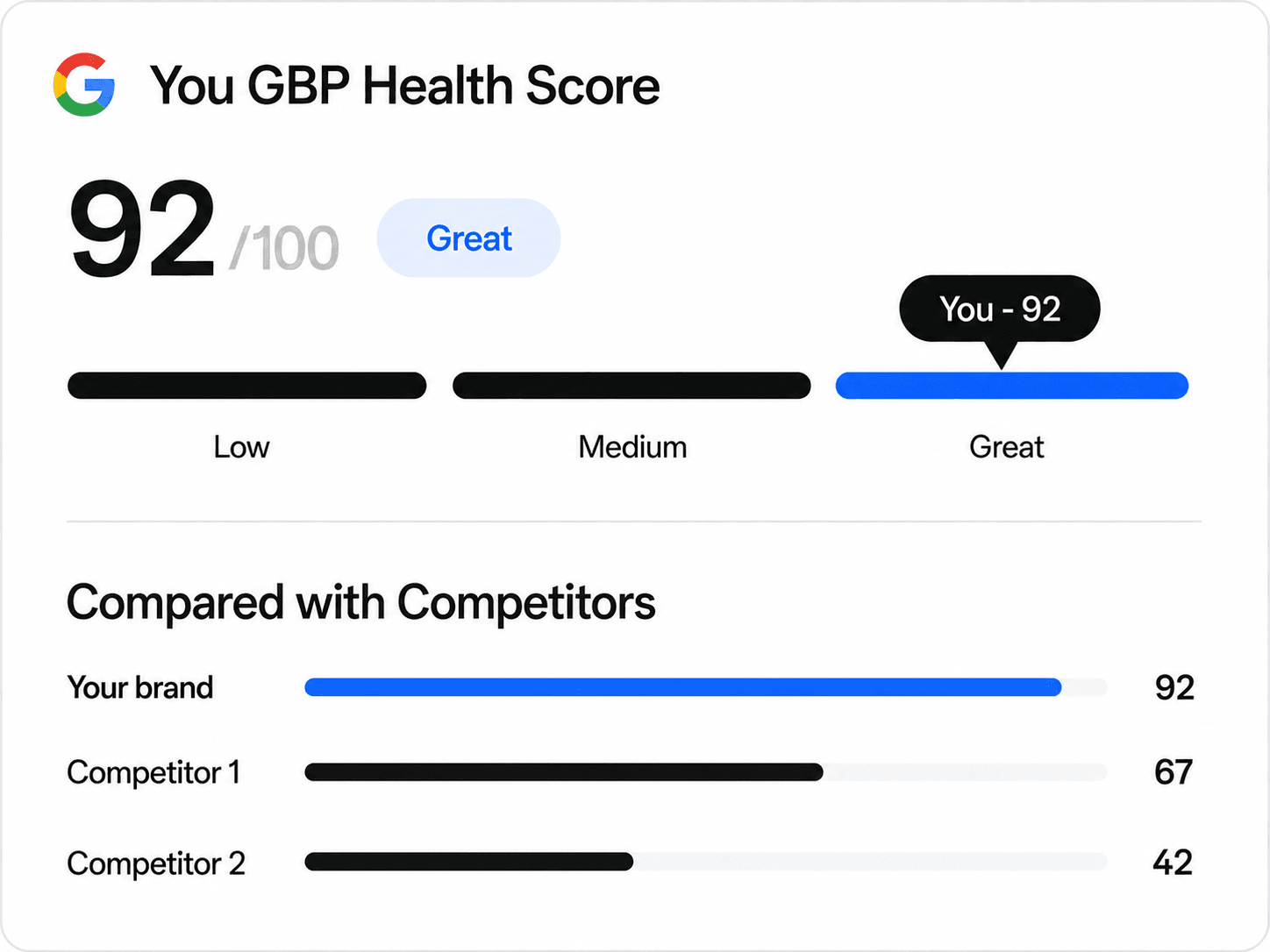
A Business Profile health score of 92 out of 100, shown beside two nearby clinics scoring 67 and 42

How to improve your Google Business Profile

Six changes, in the order they pay off. Every one of them is free, and five can be done from your phone in an afternoon.

Claim the listing before anything else

Nothing below this line matters while the profile is unclaimed, which is why it caps the score at forty-five on its own. An unclaimed listing can be edited by strangers, replied to by nobody, and Google ranks it accordingly. Verification is a postcard, a call or a video, and it is the highest-value hour anyone in your clinic will spend this month.

Set the primary category to the treatment, not the building

One category, chosen precisely: “Dental clinic” rather than “Clinic”, “Dermatologist” rather than “Doctor”. This single field is worth twenty of the eighty-seven points because it decides which searches you are eligible for, and every other field on the profile is read in its light. Then add secondary categories only for care you genuinely provide, and stop. Google asks for the fewest accurate categories, not the most.

Publish hours for all seven days, closed days included

Marking Friday closed is worth as much as marking Monday open, because what Google needs is certainty rather than availability. Five days filled in scores half of what seven does. And “Hours not confirmed” under your name is a reason for a patient to tap the clinic below you rather than risk the drive.

Fill the address down to the area, not the city

Street and area, not just Dubai. The address is how Google decides which neighbourhood searches you belong in, so “Dubai” alone puts you nowhere in particular and competing with everyone. A city with no street scores two of five here. A street with an area scores all five.

Write a description that names treatments

Two hundred characters is the floor and naming what you actually treat is the test, because this is the only free text on the profile and the text Google falls back on when a search matches no category exactly. Write what you treat and who you treat it for. A description that could belong to any clinic in the city tells Google nothing about this one.

Add photos, then keep adding them

The rooms, the team, the equipment, the reception a patient will walk into. A patient scrolls photos before reading a word, and this is the only pillar judged against the clinics around you rather than against a target, so standing still means falling behind while they upload. Anything newer than thirty days scores full marks on freshness.

RepHigh, in-house, or an agency

The same work, done three ways. What differs is who carries it, how fast it happens, and what it costs you each month. The plans are on pricing.

CapabilityRepHighLocal Visibility planDo it yourselfReception teamHire an agencyRetainer
Edits you did not makeWatched, so a changed hour or category is caughtFound when a patient arrives to a closed doorPicked up at the next monthly audit
Choosing the main categoryChecked against the words patients actually searchChosen on opening day, never revisitedSet once at onboarding
The booking linkOpened on a schedule, flagged the day it stops answeringNobody notices until the bookings stopRarely inside the scope
PhotosCounted against nearby clinics, flagged when yours go staleUploaded when somebody remembers a cameraA quarterly refresh, if it is included
Name and policy riskFlagged before Google is the one to act on itUnknown until the profile is suspendedNot usually monitored at all
Your team’s time each monthReading and approving, nothing elseSeveral hours, never billed to anyoneBriefing calls and report meetings
What it costsOne fixed subscription, whatever the volumeNothing on paper, paid in staff hoursA retainer, usually the largest of the three

Business Profile questions, answered

Rubric and copy last updated 14 August 2026.

Why is my clinic not showing up on Google Maps?

The cause clinics never find on their own is a category mismatch. Google keeps two vocabularies: the Business Profile category you choose from a list of roughly four thousand, and a far shorter list of place types it actually searches by. When your category has no counterpart in that shorter list, Google files your clinic under no primary type at all, and a search filtered by category cannot return you. Nothing looks broken. The profile is live, the reviews are there, and you are simply absent from the list your competitors appear in. The other causes are more ordinary and easier to see: you are further from the searcher than the clinics being shown, the listing is unclaimed, hours or categories are missing so Google has less reason to surface you, or a duplicate listing is splitting your signals between two records.

Can someone else change my Google Business Profile?

Yes, and this surprises most clinic owners. Any Google Maps user can suggest an edit to your hours, name, address, category, phone number or open and closed status, and Google can publish that edit before it tells you. Being the verified owner does not give you a veto. It is why opening hours quietly drift wrong, why a clinic occasionally discovers it has been marked temporarily closed, and why a category nobody chose can appear on the profile. Two habits deal with it. Turn on email notifications for suggested edits so you at least hear about them, and read the profile itself on a schedule rather than trusting that what you set last year is still what patients see. An edit you catch in a week costs you nothing. One you catch in a quarter cost you the quarter.

How many categories should a Google Business Profile have?

As few as accurately describe you, and the primary one carries most of the weight. It is the single strongest field on the profile because it tells Google which searches you belong in, so a general "Clinic" where "Dental clinic" belongs quietly removes you from the search that matters most. Add secondary categories only for care you genuinely provide, and stop there. Google asks for the fewest accurate categories rather than the most, and padding the list does not widen your reach; it dilutes what Google understands you to be. The one thing that actively counts against a clinic is a category naming a different kind of business altogether. A hair salon or a beauty retailer sitting alongside your clinical categories tells Google you are something other than a medical practice.

Will fixing my profile get me into the map pack?

It removes the reasons Google has to leave you out, which is the only part of this you control. Position also depends on how close the searcher is to you, how prominent your clinic is in the wider web, and what your reviews say, and no profile edit reaches any of those. A complete profile is the entry requirement rather than the win. Anyone promising you a map-pack position is selling something they cannot deliver.

How is the Business Profile score calculated?

Eighty-seven points across four pillars: category relevance carries 30, patient essentials 25, conversion detail 12 and visual completeness 20. Within those, the primary category alone is worth 20 points, which reflects how much of your visibility rests on that one field. Anything Google did not answer for is left out of the denominator rather than scored zero, so the number is always out of what could actually be read, and the page says how many points that was.

How does the free check read my profile?

It reads what Google publishes: the Business Profile as any patient sees it, plus the place record Google exposes through its Places API, plus one request to your booking link to see whether it answers. Nothing is posted, changed or requested on your behalf, and you do not connect an account. Three checks a day, no card. A clinic’s reading is kept for 24 hours, so checking the same profile again that day shows the same result rather than reading Google twice.

Stop guessing what patients see when they look you up.

The free checks tell you where your clinic stands today. RepHigh keeps it there, across reviews, your Google profile and every directory patients search.